

Key Takeaways
- A short self-check can show where a small business already meets an insurer’s expectations and where the gaps sit, before an application or renewal is due
- Multi-factor authentication needs to cover email, remote access and administrator accounts, not the one place it was first switched on
- A backup is only proof of recovery once it has actually been restored, which differs from simply seeing that a backup job ran overnight
- Answers on an insurance application should match what is genuinely in place, since a mismatch discovered later can shrink or sink a claim
- A written incident response plan, staff training and a payment-verification routine sit alongside MFA and backups as practical readiness steps worth checking first
Cyber insurance applications ask pointed questions about multi-factor authentication, backups, endpoint protection, staff training and incident response, and the honest answer to each one matters more than most business owners realise. Getting this right before submitting an application, rather than after a claim is denied, can be the difference between a policy that pays out and one that comes under serious challenge when a claim is investigated.
Will Your Answers Hold Up?
A cyber insurance questionnaire can look deceptively simple. A handful of yes-or-no boxes about multi-factor authentication, backups and training sit on a single page, and it can feel tempting to tick them quickly and move on to running the business. The trouble starts when those answers do not quite match reality.
Most small business owners have never had to think like an insurer. There is no dedicated IT team translating technical terms, and no risk manager double-checking that a stated control is actually working the way the form implies. TechEd Shield approaches this gap from the cybersecurity side rather than the sales side, which means the focus stays on what insurers actually expect rather than on which policy to buy.
This matters because the questions on a renewal form are rarely decorative. Each one is designed to establish whether a business matches the risk profile the insurer priced in, and every mismatch between the paper answer and the real setup becomes a problem to solve later, usually at the worst possible moment.
Why Checking Beats Assuming
Assuming a control is in place because it was switched on once, long ago, is one of the most common ways small businesses stumble into trouble. Checking takes a little more time upfront. Assuming can cost a great deal more later.
The mismatch that can sink a claim
A claim is usually filed after something has already gone wrong, which means an investigator is looking back at exactly what was in place at the time of the incident. If the application said multi-factor authentication was required everywhere, but the investigation finds one remote access tool or one admin account without it, that gap becomes the detail the whole claim turns on. The same applies to backups described as offline or tested, when in fact nobody has ever tried a full restore. A business does not need to be dishonest to end up here; it only needs to have answered from memory rather than from a checklist.
Why your exact questionnaire matters
Insurers do not all ask identical questions. One carrier’s form might focus heavily on remote access security, while another spends more space on backup architecture or staff training records. Working from a generic checklist found online, rather than the actual questionnaire sent by the insurer, risks missing the specific wording that matters for that policy. The safest approach is to keep the real form close at hand while gathering evidence, checking each question against what is genuinely configured and documented, rather than relying on a general sense that things are probably fine.
MFA: Where It Must Reach
Multifactor authentication is usually the first thing an insurer asks about, and for good reason. Stolen or guessed passwords remain one of the easiest ways into a business, and a second step at login closes that door in most cases. The question is rarely whether MFA exists somewhere in the business; it is whether it reaches every place that matters.
Email, remote access and admin accounts
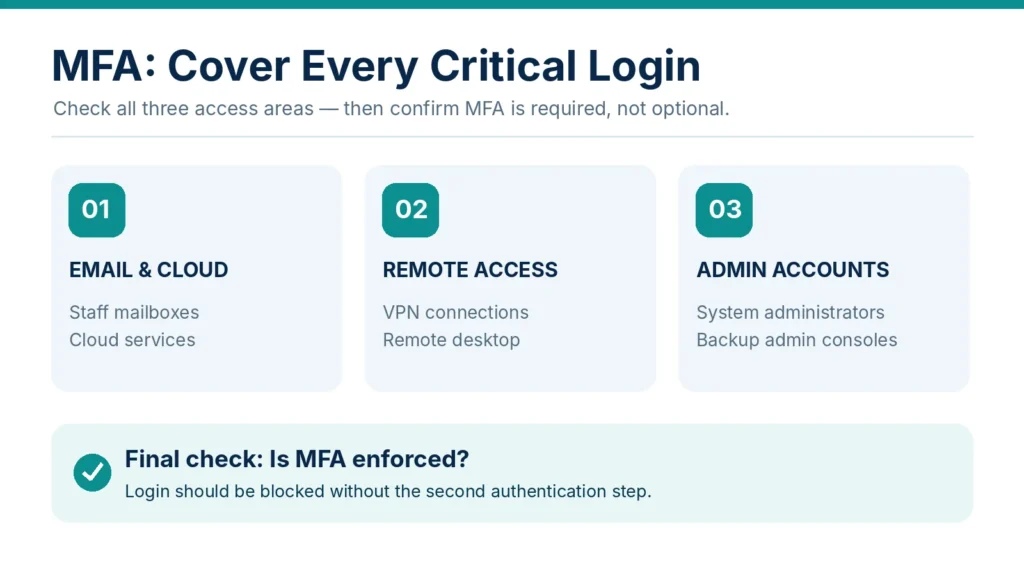
Applications commonly ask about three separate areas: email and cloud services such as Microsoft 365 or Google Workspace, remote access tools including VPNs and remote desktop connections, and administrator accounts that control the rest of the system. Enabling MFA on email alone can leave the other two questions unanswered, or answered inaccurately. A business with MFA locked down on every staff mailbox but none on the admin console for its backup software, for example, still has an open door an insurer would want closed. Working through each of these three areas separately, rather than treating MFA as one single yes-or-no setting, gives a much clearer and more honest picture.
Turning it on isn’t enforcing it
There is a meaningful difference between MFA being available to staff and MFA being required of them. A setting that lets employees opt in, rather than one that blocks login without it, leaves room for accounts to slip through unprotected, especially as new staff join or systems change. Insurers are generally looking for enforcement, not availability. Checking whether MFA is actually mandatory, rather than simply switched on as an option somewhere in a settings menu, is one of the clearest ways to close this particular gap before an application goes in.
Backups Insurers Will Trust
Backups sit right behind MFA as one of the most heavily scrutinised areas of a cyber insurance application, largely because backups are what stand between a ransomware attack and a business that can get back on its feet without paying a ransom.
Separate from everyday systems
A backup that lives on the same network as everything else offers very little protection if that network is compromised. Insurers often ask whether backup copies are kept offline, in a separate system, or otherwise isolated from the day-to-day environment, precisely because attackers who gain access to a network will often go looking for backups to disable or delete before launching an attack. A backup stored on a drive plugged into the same server it is meant to protect, or saved under the same login credentials as everything else, may not meet what an insurer is actually asking for, even if the honest answer on the form feels like it should be yes.
Proof is a tested restore
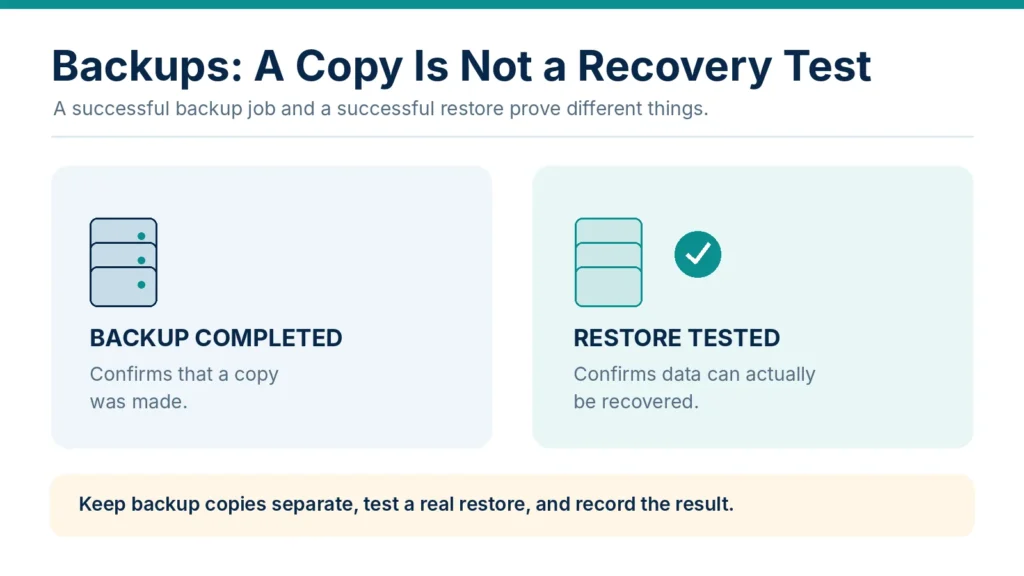
Seeing a green tick next to last night’s backup job is reassuring, but it only confirms that a copy was made, not that the copy can be used to bring a system back to life. Many businesses find, at the worst possible time, that a backup file is corrupted, incomplete, or missing key settings needed to rebuild a working system. Insurers increasingly want to know when data was last restored as a genuine test, not just when it was last copied. Running a real restore occasionally, and keeping a simple record of when it happened and what was recovered, turns a hopeful assumption into solid proof.
Endpoint Protection, Training and Response
MFA and backups cover two of the biggest areas on most applications, but insurers typically ask about several more controls that work together to reduce both the chance of an incident and the damage it causes if one happens anyway.
Endpoint detection and monitoring
Endpoint protection covers the software watching over laptops, desktops and servers for suspicious activity. Applications may ask whether this software is installed and whether it is actively monitored, since a tool that only raises alerts is of limited use if nobody is watching for them. A business without dedicated IT staff does not need to build a round-the-clock security team to answer this honestly; it simply needs a clear, truthful picture of who checks alerts, how often, and what happens when something looks wrong.
Staff training and payment verification
Many incidents start with a single email that looks convincing enough to fool a busy employee. Insurers may ask whether staff receive any security training and whether a verification step exists before money is sent out the door, particularly for wire transfers or changes to payment details. A simple routine, such as calling a known phone number to confirm any request to change bank details before a payment goes out, can be the difference between catching a scam and losing significant funds. Training does not need elaborate design to count; it needs to be real, regular and something every member of staff has actually taken part in.
A written incident response plan
A plan that exists only as a vague idea in someone’s head is not much use when an incident actually happens and everyone is under pressure. Insurers generally look for something written down: who does what, who gets called first, and how the business keeps operating while the problem gets fixed. It does not need to be a lengthy document full of technical detail. A short, clear plan that names responsibilities and key contacts, and that has been looked at more recently than the day it was first written, answers this question far better than good intentions alone.
Gathering Your Evidence First
Once the key controls are understood, the next step is collecting evidence rather than relying on memory. This means pulling together simple records: which accounts have MFA enabled and where, when backups were last tested and what the results were, what endpoint protection is installed and who monitors it, when staff last had any security training, and whether a written incident response plan exists and has been reviewed recently. None of this needs specialist software or outside expertise. A simple document or spreadsheet noting dates, settings and responsible people is often enough to answer a questionnaire accurately and to have something to point to if a claim is ever investigated later.
Spot Your Gaps Before You Apply
With evidence gathered, gaps tend to become obvious fairly quickly. Perhaps MFA is enforced on email but optional on remote access. Perhaps backups run every night but have never once been restored to check they work. Spotting these gaps before an application is submitted, rather than after an incident forces the issue, gives time to fix the most important ones and to answer honestly rather than optimistically. A short, free Cyber Insurance Readiness Check can help with this exact step, working through the areas insurers ask about most and showing where a business already matches expectations and where attention is still needed, without requiring any technical background to use it.
Try it yourself: before you open the real questionnaire, run through the eleven checks below. Each one comes from a section of this article. Mark what you have actually verified, not what is probably true, and the results will show which items to fix before the application or renewal goes in.
Cyber insurance readiness self-check
Eleven questions, about three minutes. Nothing you select is stored or sent anywhere.
This self-check only reflects what you entered, so treat it as a prompt to go and verify, not a verdict from an insurer. Anything marked “Not sure” belongs on your evidence sheet: find the setting or the record, write down the date and who owns it, and answer the form from that. Your insurer’s own questionnaire still decides the wording that matters, and the free Cyber Insurance Readiness Check works through the same areas insurers ask about most.
Readiness Means Knowing Where You Stand
None of this requires turning a small business into a technology company overnight. It requires an honest look at a handful of controls that insurers consistently care about, backed by evidence rather than assumption, before the application or renewal form is signed. Businesses that check first tend to walk into underwriting with fewer surprises and are better placed to show that their answers were accurate if a claim is ever investigated.
For a clear next step, working through a cyber insurance readiness check can show exactly which controls need attention before the next application or renewal is due.