

Key Takeaways
- For small businesses without dedicated IT staff, cloud-based password managers are generally safer and more practical than self-hosted alternatives
- Both models rely on zero-knowledge encryption, but self-hosting shifts the risk of open network ports, root access misuse and patch delays onto the business itself
- A single self-hosted vault set up by one tech-savvy employee creates a dangerous single point of failure if that person leaves
- Three-year ownership costs reveal a wide gap between managed cloud pricing and the hidden labour behind self-hosted setups
- Regulated small businesses largely avoid self-hosting because of the compliance evidence it demands
Cloud vs self-hosted password manager is a decision that sounds small but shapes how exposed a business really is. For a small business without a dedicated IT or security team, this choice determines who carries the burden of keeping credentials safe: an external vendor with round-the-clock monitoring, or the business owner juggling everything else on their plate.
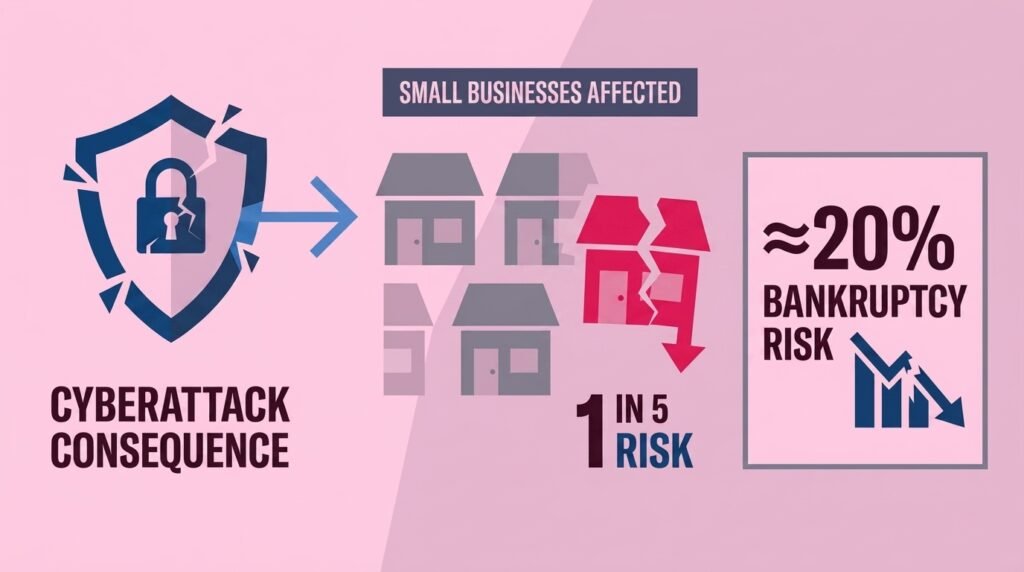
The stakes are real: businesses that suffer a cyberattack face nearly a 1-in-5 chance of being forced into bankruptcy within two years, according to the Verizon 2025 Data Breach Investigations Report.
Same Vault, Three-Year Cost Gap
The cloud vs self-hosted password manager decision looks simple on paper – both store encrypted logins, both let staff share credentials securely, and both promise to keep the business safer than sticky notes or spreadsheets. Both store encrypted logins, both let staff share credentials securely, and both promise to keep the business safer than sticky notes or spreadsheets. The real difference only becomes clear once the maintenance, monitoring and recovery work is counted alongside the software itself. TechEd Shield’s philosophy holds that business security isn’t about complexity, but about covering the basics properly and consistently, and few decisions test that philosophy more than picking between cloud and self-hosted vaults. Business owners weighing this decision can also try TechEd Shield’s free password generator and strength checker to see how strong their current logins actually are before deciding on a management approach.
Zero-Knowledge Encryption, Different Risk Exposure
Encryption is one area where the cloud vs self-hosted password manager decision doesn’t matter much – most modern password managers, whether cloud or self-hosted, use zero-knowledge, end-to-end encryption. This means the server only ever stores scrambled ciphertext, and the vault unlocks locally using the master password. That shared foundation is reassuring, though it does not mean both deployment models carry the same risk.
Cloud: A Managed, Monitored Target
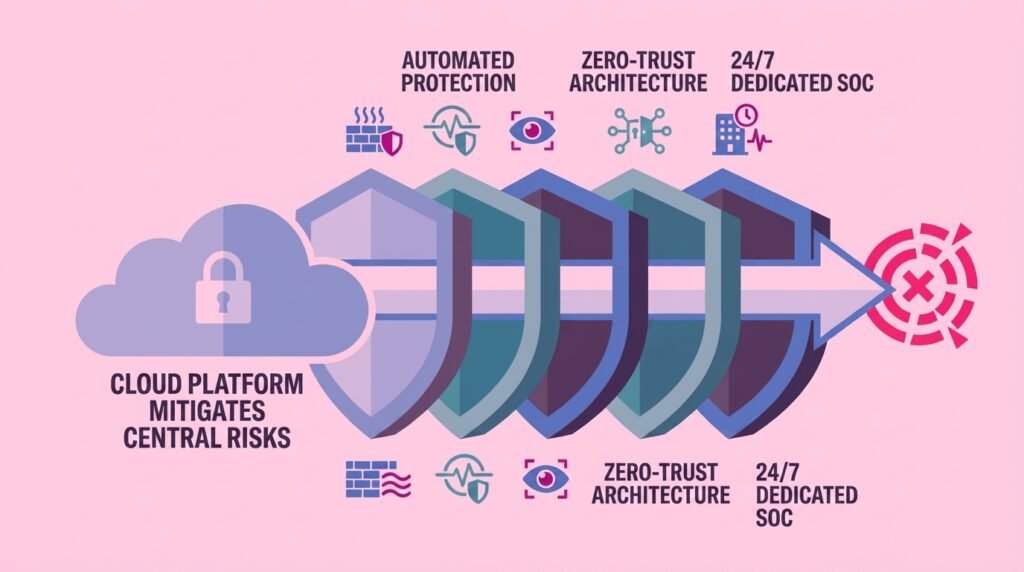
Cloud password managers sit behind firewalls, intrusion detection systems and dedicated security teams working around the clock. They attract attention simply because so many organisations’ vaults live there, but the vendor absorbs the burden of watching for attacks, applying urgent fixes and running regular independent security testing. The main risk for a cloud customer is trusting that the vendor’s own software supply chain and infrastructure stay secure, a risk that is l/argely out of the business owner’s hands but is actively managed on their behalf.
Self-Hosting: Open Ports and Root Access Risk
Network exposure is where the cloud vs self-hosted password manager decision starts to diverge. Self-hosting removes the vault from a shared vendor environment, but it introduces its own dangers. To let staff sync passwords remotely, the server usually needs public inbound network ports open, which become targets for automated scanners and brute-force attempts. Whoever manages the server also holds root access, meaning a mistake, or a malicious insider, could bypass the encryption boundary entirely. It’s a widely made point in the security community that a small business misconfiguring its own firewall can pose a bigger risk than a major provider like Bitwarden suffering a breach.
Why Self-Hosting Strains Teams Without IT
Staffing strain is a major factor in the cloud vs self-hosted password manager decision. Running a self-hosted password vault demands ongoing work well beyond the initial setup, including operating system hardening, container updates, database maintenance and certificate renewals, tasks that pile up quickly for a business with no technical staff to spare.
The Bus Factor: One Person, One Point of Failure
Self-hosted vaults are typically built and maintained by one tech-savvy employee or the owner themselves. If that person leaves, falls ill, or simply goes on holiday when something breaks, the business can be left locked out of every stored credential with nobody able to fix it. This single point of failure, sometimes called the bus factor, is one of the clearest arguments against self-hosting for small teams.
Backups, Patching and Disaster Recovery Gaps
Without a dedicated IT function, backups often sit unverified on the same server as the live database, meaning a single hardware failure or ransomware attack can wipe out both. Security patches also tend to get delayed out of fear of breaking a working setup, leaving known vulnerabilities exposed on public-facing endpoints for longer than they should be.
Comparing Three-Year Ownership Costs
Cost is one of the clearest ways to compare the cloud vs self-hosted password manager decision, but licensing fees only tell part of the financial story. For a 15-person company with no IT staff, TechEd Shield notes that three-year commercial cloud licensing for Bitwarden Enterprise costs $3,240, and the full three-year operational total, including setup and support, comes to $3,440.
Self-hosting looks cheaper on the surface, since open-source tools like Vaultwarden carry no licence fee, but the maintenance labour changes the picture entirely. Once server costs, setup time, patching, backup verification and compliance evidence gathering are added up, TechEd Shield estimates the same 15-person business faces a three-year total of $41,172 for a commercially licensed self-hosted Bitwarden instance, or $36,816 for a self-hosted Vaultwarden setup. The gap comes almost entirely from the hours spent keeping the system running safely, hours a business without IT staff usually does not have to spare.
| Criteria | Cloud (Bitwarden Enterprise) | Self-Hosted (Commercial License) | Self-Hosted (Vaultwarden, Open-Source) |
|---|---|---|---|
| Licensing model | Commercial cloud subscription | Commercial license, self-hosted | Open-source, no license fee |
| 3-year total cost (15-person business) | $3,440 | $41,172 | $36,816 |
| Network exposure | Vendor-managed, monitored 24/7 | Business must open and secure inbound ports | Business must open and secure inbound ports |
| Compliance evidence | Vendor-provided attestations | Business must self-prove to auditors | Business must self-prove to auditors |
| Ongoing maintenance | Handled by vendor | Business handles patching, hardening, backups | Business handles patching, hardening, backups |
| Bus factor risk (single point of failure) | Low — vendor redundancy | High — typically one admin | High — typically one admin |
Compliance Burden: Inherited vs Self-Proven
Compliance is another factor that shapes the cloud vs self-hosted password manager decision. Businesses handling regulated data, such as health records or payment information, face an added layer of complexity. Cloud vendors typically supply ready-made compliance attestations that a business inherits simply by using the service, covering physical security, patching and access controls behind the scenes. Self-hosting on a standard server removes that inherited protection. Medical practices face a specific version of this trade-off through the BAA requirement — see our HIPAA password managers for small practices with no IT team guide. The hosting provider secures the physical hardware, but the business itself becomes responsible for proving to auditors that its own setup, patch schedule and access logs meet the required standard.
Why Few Regulated Small Businesses Choose Self-Hosting
This extra evidence-gathering work explains why self-hosting remains rare among regulated small businesses. Self-hosting remains uncommon among regulated small businesses, largely because the audit workload outweighs any control benefit gained. For most, the effort of proving compliance independently simply is not worth trading away a vendor’s ready-made attestations.
Cloud Wins on Practicality for Most Small Businesses
Weighing security exposure, staffing strain, cost, and compliance together, the cloud vs self-hosted password manager decision comes out clearly in favor of cloud for most small businesses without dedicated IT support. Self-hosting still has a place for organisations under strict data sovereignty rules with the technical staff to match, but for everyday small business owners juggling sales, staff and customers, a managed cloud vault removes a significant operational burden while keeping credentials genuinely secure. For a look at when data sovereignty actually forces the self-hosting question, see our GDPR password managers for small business: EU hosting and data residency guide.
Not sure which path fits your business? Answer four quick questions below to see whether a cloud-based or self-hosted password manager is the better call for your team.
Whichever way you lean, the goal is the same: password security that doesn’t depend on one person’s memory or one server never going down. If cloud is the better fit for your team, TechEd Shield’s free password generator and strength checker is a good next stop to see how your current logins measure up.
Business owners ready to strengthen their setup can start by testing their current logins with a free password strength checker before rolling out a cloud-based password manager across the whole team.